
🌌 Distortion Gravity – Wormhole Visualization
Traversable wormhole in metric‑affine gravity, generated with Manim 3D
Welcome to Luca Eliseo Pavesi's portal for Distortion Gravity on Wikipedia and his personal website.
Author of Distortion Gravity (see Wikipedia)
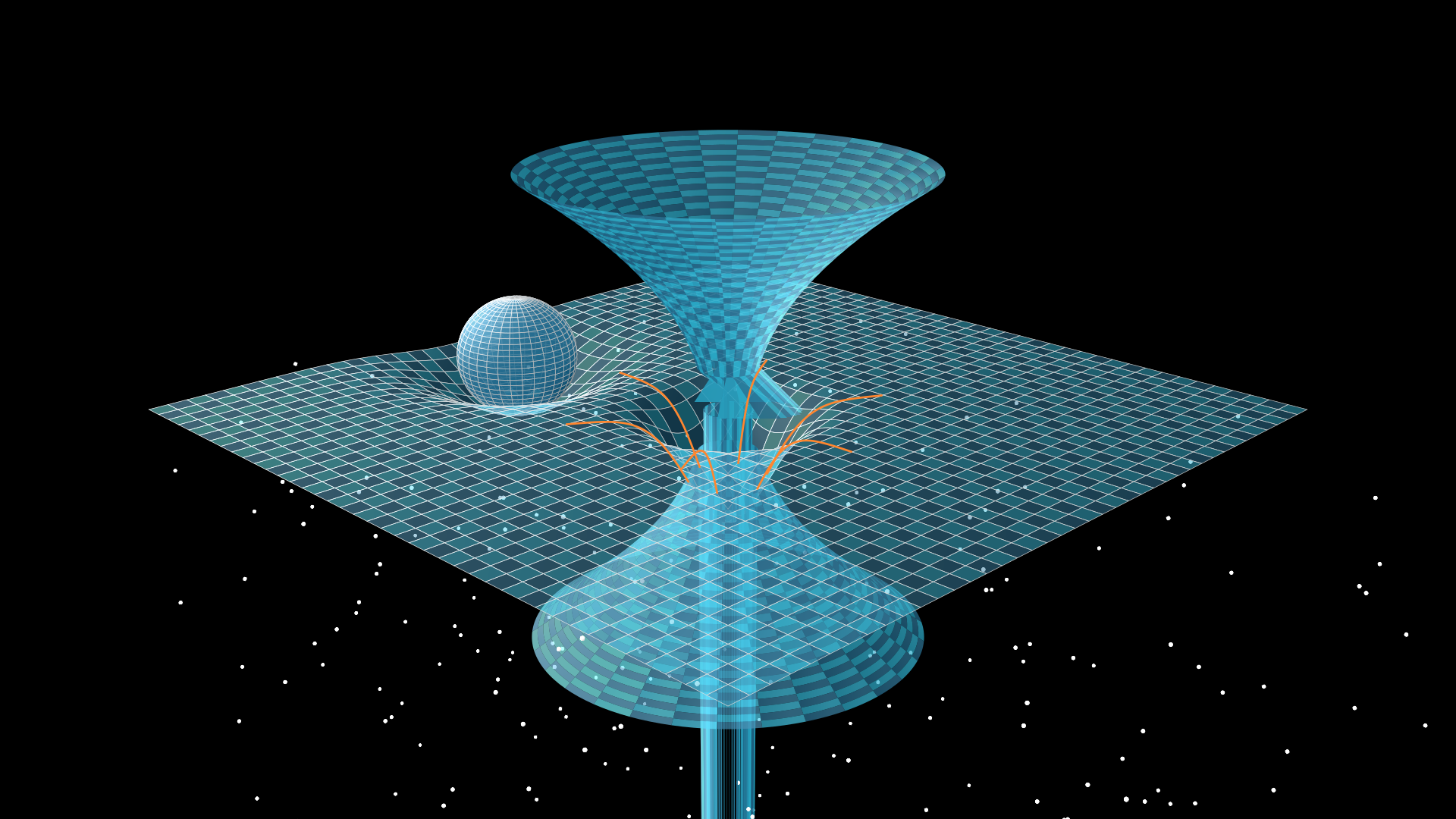
For those who want to have fun, here is the code associated with the image:
from manim import *

class DistortionWormhole(ThreeDScene):
    def construct(self):
        self.camera.background_color = BLACK
        # Stars
        stars = VGroup()
        import numpy as np
        np.random.seed(42)
        for _ in range(300):
            x = np.random.uniform(-7, 7)
            y = np.random.uniform(-5, 5)
            z = np.random.uniform(-8, 0)
            star = Dot3D(point=[x, y, z], radius=0.02, color=WHITE)
            stars.add(star)
        self.add(stars)

        # Planet
        planet = Sphere(radius=0.8, color=BLUE_D, resolution=(32,32))
        planet.shift(LEFT * 3.5 + DOWN * 0.5)
        planet.set_fill(BLUE_E, opacity=0.8)
        self.add(planet)

        # Spacetime grid
        def grid_surface(u, v):
            x = u
            y = v
            z = 0
            planet_pos = np.array([-3.5, -0.5, 0])
            dist_planet = np.sqrt((x - planet_pos[0])**2 + (y - planet_pos[1])**2)
            z -= 0.8 * np.exp(-dist_planet**2 / 1.5)
            r = np.sqrt(x**2 + y**2)
            z -= 1.5 * np.exp(-r**2 / 0.5)
            return np.array([x, y, z])

        grid = Surface(
            grid_surface,
            u_range=[-5, 5],
            v_range=[-5, 5],
            resolution=(40, 40),
            fill_opacity=0.6,
            checkerboard_colors=[BLUE_D, BLUE_E],
            stroke_width=0.5,
        )
        grid.set_fill_by_checkerboard(BLUE_D, BLUE_E, opacity=0.5)
        self.add(grid)

        # Wormhole (double funnel)
        r0 = 0.3
        def wormhole_upper(u, v):
            r = u
            theta = v
            x = r * np.cos(theta)
            y = r * np.sin(theta)
            z = 2 * np.sqrt(np.clip(r - r0, 0, None))
            return np.array([x, y, z])

        def wormhole_lower(u, v):
            r = u
            theta = v
            x = r * np.cos(theta)
            y = r * np.sin(theta)
            z = -2 * np.sqrt(np.clip(r - r0, 0, None))
            return np.array([x, y, z])

        wormhole_up = Surface(
            wormhole_upper,
            u_range=[r0, 2.5],
            v_range=[0, TAU],
            resolution=(30, 30),
            fill_opacity=0.7,
            color=YELLOW,
            stroke_width=0,
        )
        wormhole_down = Surface(
            wormhole_lower,
            u_range=[r0, 2.5],
            v_range=[0, TAU],
            resolution=(30, 30),
            fill_opacity=0.7,
            color=YELLOW,
            stroke_width=0,
        )
        wormhole_group = VGroup(wormhole_up, wormhole_down)
        self.add(wormhole_group)

        # Flow lines
        for i in range(6):
            angle = i * TAU / 6
            curve = ParametricFunction(
                lambda t: np.array([
                    (2.0 + (0.5 - 2.0) * t) * np.cos(angle),
                    (2.0 + (0.5 - 2.0) * t) * np.sin(angle),
                    -1.5 * np.exp(-((2.0 + (0.5 - 2.0) * t)**2) / 0.5)
                ]),
                t_range=[0, 1],
                color=ORANGE,
                stroke_width=2,
            )
            self.add(curve)

        self.set_camera_orientation(phi=70 * DEGREES, theta=-45 * DEGREES, zoom=0.8)
        self.wait(1)
🔧 How to generate the image on Windows (PowerShell)
- Open PowerShell and create a folder:
mkdir C:\wormhole_projectcd C:\wormhole_project - Create and activate a virtual environment:
python -m venv venv.\venv\Scripts\Activate.ps1
(If needed, runSet-ExecutionPolicy -ExecutionPolicy RemoteSigned -Scope CurrentUserfirst) - Install Manim:
pip install manim - Save the Python code above in a file
wormhole.pyinside the folder. - Generate the image:
manim -p -s -qh wormhole.py DistortionWormhole - The image will be saved in
media/images/wormhole/DistortionWormhole.png